


How to Reply to Guest Reviews on 2GIS and Google Maps: Rules and Templates
A reply to a review is read not only by its author but by everyone choosing a hotel. How to get access to replies, what to write, and what to avoid, with ready-made templates.
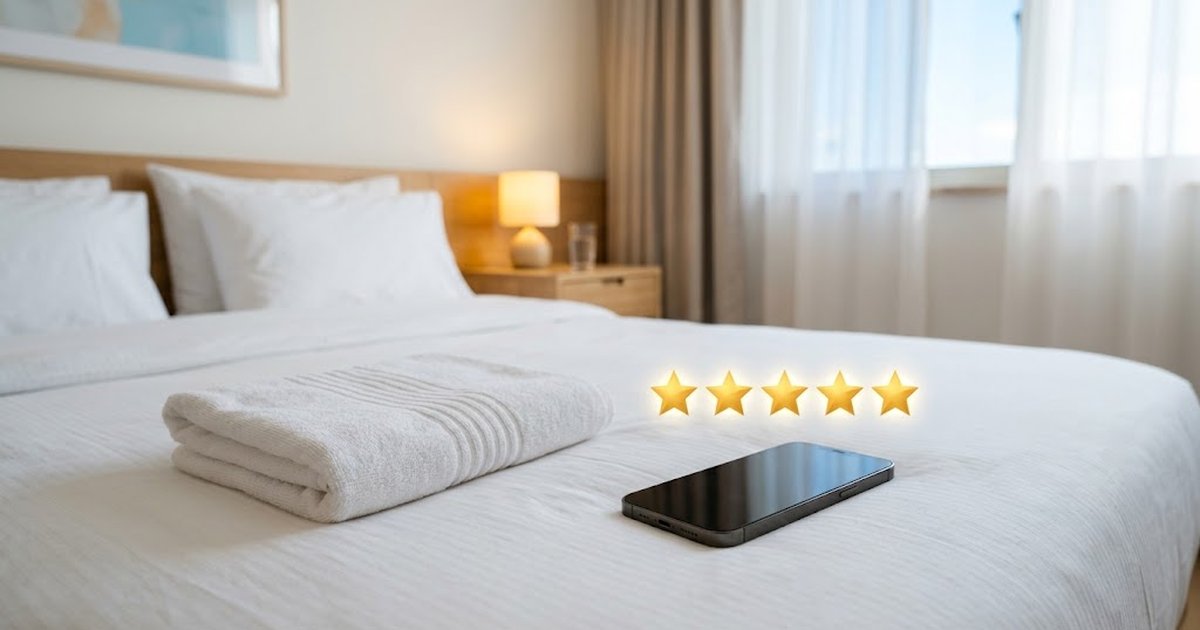
Before booking, guests read reviews — and the hotel's replies to them. A reply to a review is written not only for its author: everyone who is choosing where to stay will see it. In Kazakhstan, hotels are most often looked up on 2GIS and Google Maps, so let's start with how to access replies there, and then go through the rules and ready-made templates.
How to Access Reviews
2GIS
You can manage the company listing and reply to reviews in the "2GIS for Business" personal account — on the website or in the app of the same name. First, you need to confirm that you represent the hotel. The account sends notifications about new reviews, and the reply is published on behalf of the company. Section names in the account change, so look for the item with reviews about the company.
Google Maps
Only the owner or a manager of a verified company profile (Google Business Profile) can reply to reviews on Google. You can reply from a computer in the company profile or in the Google Maps app: open the reviews and tap "Reply." The author receives a notification about the reply and can edit their review. You can only reply to reviews left on Google itself.
Rules for a Good Reply
- Reply quickly. Ideally within a day or two — especially to negative reviews, while other guests see only one side.
- Be specific, not templated. The same "Thanks for your review!" under every review looks like a brush-off. Mention what the guest wrote about.
- Keep it short. Three to five sentences: thank them, address the substance, say what has been or will be done.
- No arguments or accusations. Even if the guest is wrong, future guests read the reply — a calm tone persuades them better than any arguments.
- No personal data. Don't write the room number, dates of stay, phone number, or booking and payment details — these are the guest's personal data, and publishing them without consent is not allowed.
- No advertising or discounts. Google's recommendations advise against using replies for promotions: the review author is already your guest.
- Sign it. "Manager Aigerim" or "the hotel team" — a real person inspires more trust than a faceless reply.
Reply Templates
Use these as a basis and be sure to add details from the review.
Positive Review
"Thank you for choosing us and taking the time to write! We're especially glad you enjoyed the breakfast — we'll pass it on to the chef. We'd be happy to welcome you again. The hotel team."
Positive with a Remark
"Thank you for your review and for the note about Wi-Fi in the rooms at the far end of the hall. We have already installed an additional router on the second floor. We're glad that everything else pleased you — we look forward to seeing you again. Manager Aigerim."
Justified Negative
"We're very sorry that check-in took so long — that shouldn't happen. We have looked into the situation with our front desk staff and changed the procedure for preparing rooms for early check-in. Please write to us on WhatsApp at the number on our listing — we'd like to discuss how to make things right. Manager Aigerim."
Unjustified Negative
"Thank you for sharing your impressions. Our checkout time is 12:00; it is stated at booking and at the reception desk. Late checkout is possible on request if the room is available. We're sorry this caused inconvenience. We'll be glad to help with a late checkout next time. The hotel team."
Review Not About You or Without Details
"Hello! We could not find such a situation in our hotel. Please write to us on WhatsApp at the number on our listing with the date and circumstances — we will certainly look into it. The hotel team."
If a Review Violates Platform Rules
Insults, spam, a review about another company, or a review from a competitor can be disputed. On Google, a review that violates the rules can be flagged as inappropriate and sent for review. On 2GIS, if it's unclear from a review which visit it refers to, a company representative can ask the author to clarify the details, and the complaint must reference a specific rule. Still, reply calmly first — verification takes time, and readers see the review right now.
How to Get More Reviews
- Ask guests to leave a review at checkout — verbally and with a QR code linking to your listing at the front desk.
- Send a short message after checkout with a link to 2GIS or Google — to guests who agreed to receive messages.
- Don't buy reviews or offer discounts or gifts for them: Google prohibits reviews for compensation, and 2GIS also has rules for reviews — check them.
Ready-made phrases for messages to guests are in the article "Hotel Receptionist Scripts", and front desk responsibilities are in "Hotel Receptionist".
How It Works on Rentus
Rentus is our service for business travel across Kazakhstan: only companies book on it. Company employees come on weekdays and return to where it suited them, so good reviews and calm replies also work for corporate clients. The hotel account with the availability grid is free; the commission is 10%, charged only for completed stays, and the first 5 bookings are commission-free under the promotion rules. Create a hotel account.
Questions and answers
How do I reply to a 2GIS review on behalf of a hotel?
Through the "2GIS for Business" personal account on the website or in the app: confirm that you represent the hotel, open the reviews for the company, and publish a reply. It will appear on behalf of the company.
How do I reply to a review on Google Maps?
The company profile on Google must be verified. Open the profile on a computer or in the Google Maps app, go to the reviews, and click "Reply". The author will receive a notification.
Can a bad hotel review be deleted?
Only the platform can remove a review, and only if it violates its rules: insults, spam, or a review about a different company. A complaint is filed for such a review, and until a decision is made, it is best to reply calmly.
What must not be written in a reply to a review?
A guest's personal data: room number, dates of stay, phone number, booking and payment details. It is also not advisable to argue or offer discounts in the reply.
The text, translation and images for this article were prepared with the help of artificial intelligence. AI can make mistakes — check important figures, dates and requirements against official sources.
Companies book their employees' business trips on Rentus and pay by invoice. Joining is free; commission is charged only for completed stays.
 Photo generated by AI
12 October 2026Hotel Front Desk Scripts: Calls, WhatsApp and Message Templates
 Photo generated by AI
12 October 2026RevPAR, ADR and Hotel Occupancy: How to Calculate Them and What They Show
 Photo generated by AI
12 October 2026Hotel Sales Channels: How Not to Depend on a Single Aggregator
 Photo generated by AI
12 October 2026How to Fill a Hotel in the Off-Season: 10 Ways to Raise Occupancy
 Photo generated by AI
12 October 2026Where to List Your Hotel in Kazakhstan: Aggregators and Their Terms in 2026
 Photo generated by AI
10 October 2026Hotel Overbooking: Why a Room Gets Sold Twice and How to Prevent It
 Photo generated by AI
10 October 2026How to Open a Hotel in Kazakhstan: A Step-by-Step Plan for the Hospitality Business
 Photo generated by AI
10 October 2026Housekeeping in a Hotel: Types of Cleaning, Room Statuses, and the Housekeeper's Cart
 Photo generated by AI
10 October 2026Accommodation Contract with a Legal Entity: What to Specify in the Hotel Contract
 Photo generated by AI
10 October 2026Aparthotel: What It Is, How It Differs from a Hotel, and How to Run One in Kazakhstan
 Photo generated by AI
10 October 2026Hotel Receptionist: Duties, Shift Checklist and Key Skills
 Photo generated by AI
6 October 2026Tourist Tax in Kazakhstan in 2026: 0% Rate and What Hotels Need to Know
All articles
Occupancy, companies and documents for hotels