


Hotel Booking Chart: What It Is, How to Keep It, and Where to Download a Template
The booking chart is the front desk's main screen: who is staying, who is arriving, and where rooms are free. How to keep it without double bookings, plus a free Excel template.
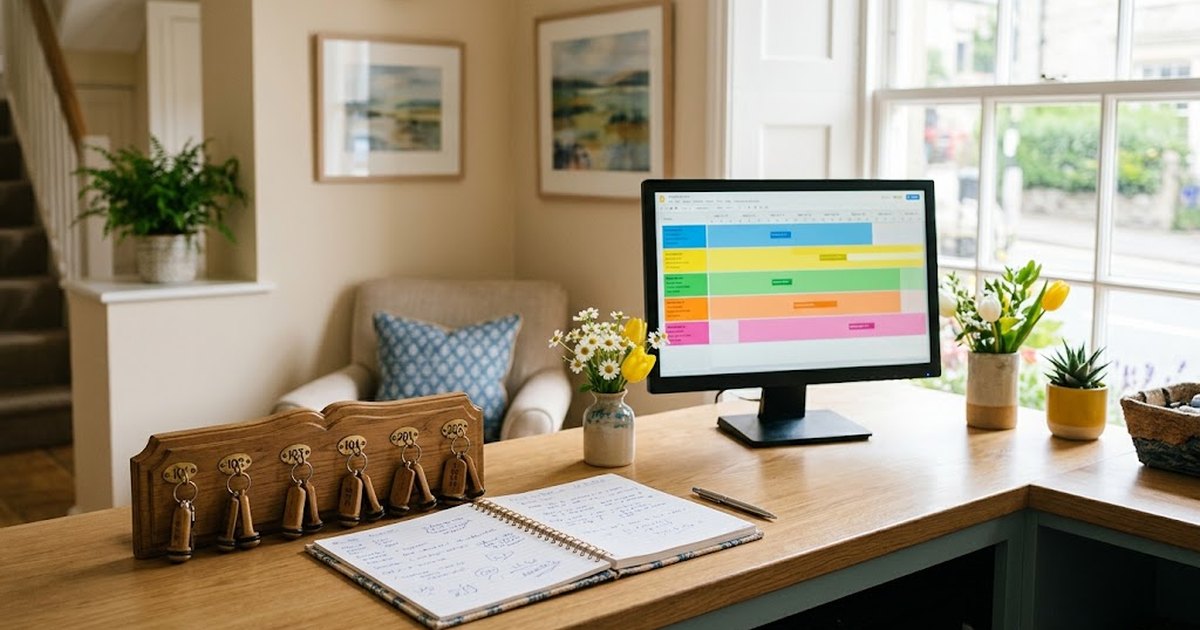
Monthly occupancy: rooms, dates and weekdays, with counts of free rooms and occupancy percentage by day.
The chessboard (shakhmatka) is a hotel occupancy table: rows are rooms, columns are dates, and each booking is a strip across the nights of stay. The name comes from the resemblance to a chessboard: occupied and free cells alternate, so the picture for the whole room inventory is visible at a glance. This is the administrator's main working screen: rooms are sold from it, cleaning is planned, and mistakes are caught before the guest arrives.
Below you will find how to read and keep the chessboard without double bookings, a free Excel chessboard template, and signs that spreadsheets are no longer enough.
What you can see on the chessboard
- Who is staying now and until what date.
- Arrivals and departures for today and tomorrow — rooms are prepared and housekeeping is planned based on them.
- Vacant rooms for any dates — what can still be sold.
- Closed rooms: renovation, technical reasons, a room held for internal use.
- Booking status: new, confirmed, guest checked in, checked out, paid or unpaid.
- Occupancy by day — how many rooms are occupied and what percentage of the inventory that is.
How to read the chessboard correctly
The main rule: the chessboard counts nights, not days. A guest arriving on the 10th and leaving on the 12th occupies two nights — from the 10th to the 11th and from the 11th to the 12th. The cell for the 12th does not need to be shaded: the guest leaves in the morning, and the room can be sold for that night. This is the most common mistake in homemade tables — the room looks occupied when it is actually free, and the hotel loses a sale.
The second habit is to agree on colours and symbols and not change them. For example: blue — confirmed booking, yellow — awaiting confirmation or payment, green — guest checked in, grey — room closed. When every administrator colours cells in their own way, only the table's author understands it.
The chessboard in Excel: template and how to work with it
A mini-hotel or guesthouse at the start needs nothing more than a table. We have prepared a free template — download the chessboard in Excel. It opens in Excel, Google Sheets and LibreOffice, no registration required.
How the template is structured:
- enter the first day of the month — dates and days of the week will recalculate automatically, and weekends will be highlighted;
- in the rows are rooms and categories — replace them with your own;
- a booking is the guest's or company's name in the cells of the nights of stay; the cell will shade automatically;
- the word "renovation" closes a room: the cell turns grey and the room is excluded from occupancy;
- at the bottom the table calculates occupied and vacant rooms and the occupancy percentage for each day; on the right — nights and occupancy for each room.
The advantages of the table are clear: it is free, familiar, and can be printed. The drawbacks show up as you grow: several people enter bookings, the file held by the administrator diverges from the one held by the manager, the change history is lost, and a booking taken by phone late in the evening may only reach the table in the morning.
When a table is no longer enough
Signs that it is time to switch to an online chessboard:
- bookings come from several sources: calls, WhatsApp, the website, booking platforms, companies;
- more than one administrator works with the chessboard;
- at least once a room has been sold twice;
- the manager needs to see occupancy without being at the hotel;
- reconciling the table with other channels takes more than half an hour a day.
An online chessboard is part of a hotel management system (PMS) or a booking platform's dashboard. A booking appears in the grid immediately, each employee has their own login, and changes are visible to everyone at the same time.
Overbooking: why it happens and how to prevent it
Overbooking is a situation where two bookings exist for one room on the same dates. Almost always the cause is the same: the hotel has several sales channels, and the chessboard is not updated instantly. A guest booked by phone, the administrator did not get to close the room on the platform — and ten minutes later the room was bought by a second guest.
How to reduce the risk:
- One chessboard — one source of truth. All bookings, wherever they come from, are entered in one place.
- Booking goes into the chessboard immediately. Not "after the shift" and not "when I'm free": until the booking is in the grid, the room continues to be sold.
- Close sales on other channels as soon as the room is taken — manually or through a channel manager that synchronises availability automatically.
- Keep a reserve in high season: one or two rooms that are not listed on all platforms at once.
- Check each evening against tomorrow's arrivals: a double booking found the day before is easier to resolve than at the front desk.
If an overbooking happens anyway, it is better to resolve it before the guest arrives: contact them in advance, offer a room of a higher category or accommodation in an equally good hotel at your expense, plus transfer. A guest who was warned and taken care of usually stays loyal; a guest who was turned away at the desk will leave a review.
Chessboard maintenance rules: checklist
- All bookings are in one chessboard, from any channel.
- The booking is entered at the moment of confirmation, not at the end of the shift.
- Nights of stay are marked without the departure day.
- Colours and statuses are the same for all employees.
- Renovation and technical closures are marked in advance.
- Every evening — a check of tomorrow's arrivals; every morning — today's departures.
- Cancelled bookings are removed from the chessboard immediately — otherwise the room sits idle.
- For foreign guests — a notification in eQonaq at check-in: how to do it.
Free online chessboard in Rentus
In the hotel dashboard on Rentus the chessboard is free, with no subscription fee:
- all rooms three weeks ahead: bookings are shown as strips, vacant spaces as a number in each day;
- bookings from any channel — a call, WhatsApp, another platform, a guest on site — are entered in a minute, and the room is immediately closed on Rentus;
- prices for weekends and holidays, closing sales for renovation, limiting the number of rooms — for a day or a whole month at once;
- a daily summary: arrivals and departures today, new bookings, occupancy for the week and month;
- an assistant: press "Room taken", "Close sales" or "Change price", or write in your own words — it will show what will change and apply it with a button.
Rentus bookings are made only by companies — for employees' business trips — and the 10% commission is charged only for a completed stay. Connect your hotel — companies will see your listing after verification.
Questions and answers
What is a booking chart in a hotel?
It is an occupancy grid: room numbers in rows, dates in columns, and bookings shown as bars across the nights of stay. From it, the front desk sees who is staying, who is arriving, and which rooms are free.
Why isn't the check-out day marked on the booking chart?
The chart counts nights. A guest leaves in the morning, so the room can be sold for the check-out day's night; if that day is also shaded, the room will look occupied and the sale will be lost.
Can a booking chart be kept in Excel?
Yes, for a small property this is a workable option, and an Excel booking chart template can be downloaded for free. As the number of sales channels and staff grows, the risk of double bookings increases, and an online booking chart is more convenient.
How do you avoid overbooking?
Enter all bookings into one booking chart as soon as they are confirmed, close sales on other channels as soon as a room is taken, and each evening check the arrivals for the next day.
How much does the online booking chart in Rentus cost?
Nothing: the account with the booking chart, rates, and closures is free, with no monthly fee. The 10% commission applies only to completed stays from bookings made through partner companies.
The text, translation and images for this article were prepared with the help of artificial intelligence. AI can make mistakes — check important figures, dates and requirements against official sources.
Companies book their employees' business trips on Rentus and pay by invoice. Joining is free; commission is charged only for completed stays.
 Photo generated by AI
12 October 2026Hotel Front Desk Scripts: Calls, WhatsApp and Message Templates
 Photo generated by AI
12 October 2026RevPAR, ADR and Hotel Occupancy: How to Calculate Them and What They Show
 Photo generated by AI
12 October 2026How to Reply to Guest Reviews on 2GIS and Google Maps: Rules and Templates
 Photo generated by AI
12 October 2026Hotel Sales Channels: How Not to Depend on a Single Aggregator
 Photo generated by AI
12 October 2026How to Fill a Hotel in the Off-Season: 10 Ways to Raise Occupancy
 Photo generated by AI
12 October 2026Where to List Your Hotel in Kazakhstan: Aggregators and Their Terms in 2026
 Photo generated by AI
10 October 2026Hotel Overbooking: Why a Room Gets Sold Twice and How to Prevent It
 Photo generated by AI
10 October 2026How to Open a Hotel in Kazakhstan: A Step-by-Step Plan for the Hospitality Business
 Photo generated by AI
10 October 2026Housekeeping in a Hotel: Types of Cleaning, Room Statuses, and the Housekeeper's Cart
 Photo generated by AI
10 October 2026Accommodation Contract with a Legal Entity: What to Specify in the Hotel Contract
 Photo generated by AI
10 October 2026Aparthotel: What It Is, How It Differs from a Hotel, and How to Run One in Kazakhstan
 Photo generated by AI
10 October 2026Hotel Receptionist: Duties, Shift Checklist and Key Skills
All articles
Occupancy, companies and documents for hotels